The Internet, as it was meant to be
Open and connected — just as it should be
Open-Box is a transparent proxy that lives on your router and routes every device at home automatically. The package ships with the sing-box core, a Node runtime and complete GeoSite / GeoIP data. Subscriptions, nodes, routing and DNS are all set up by clicking around in your browser — no config files to write.
curl -fsSL https://raw.githubusercontent.com/liandu2024/Open-Box/main/scripts/install.sh | shcurl -fsSL https://gh-proxy.com/raw.githubusercontent.com/liandu2024/Open-Box/main/scripts/install.sh | sh -s -- --mirrorRun as root over SSH on the router · OpenWrt / Debian / Ubuntu · x86_64 / aarch64
Why Open-Box
The Internet was never meant to have borders
A network built to connect everyone is now divided by one restriction after another.
AI region locks
Many AI services are off-limits in some regions.
Open-Box
Route AI through nodes in a supported region.
Store IP checks
Cross-border stores need one stable regional IP.
Open-Box
Chain a residential or static IP for a fixed exit.
Content filtering
Sites you want get filtered: blank pages, timeouts.
Open-Box
Route by domain: direct or via a node, site by site.
DNS poisoning
Domains resolve to wrong addresses and sites break.
Open-Box
Split DNS, clean resolvers for proxied sites, no leaks.
Open-Box brings the Internet back to its original promise: open and connected, as it should be.
Router · free forever
Proxy what needs a proxy. Go direct for the rest.
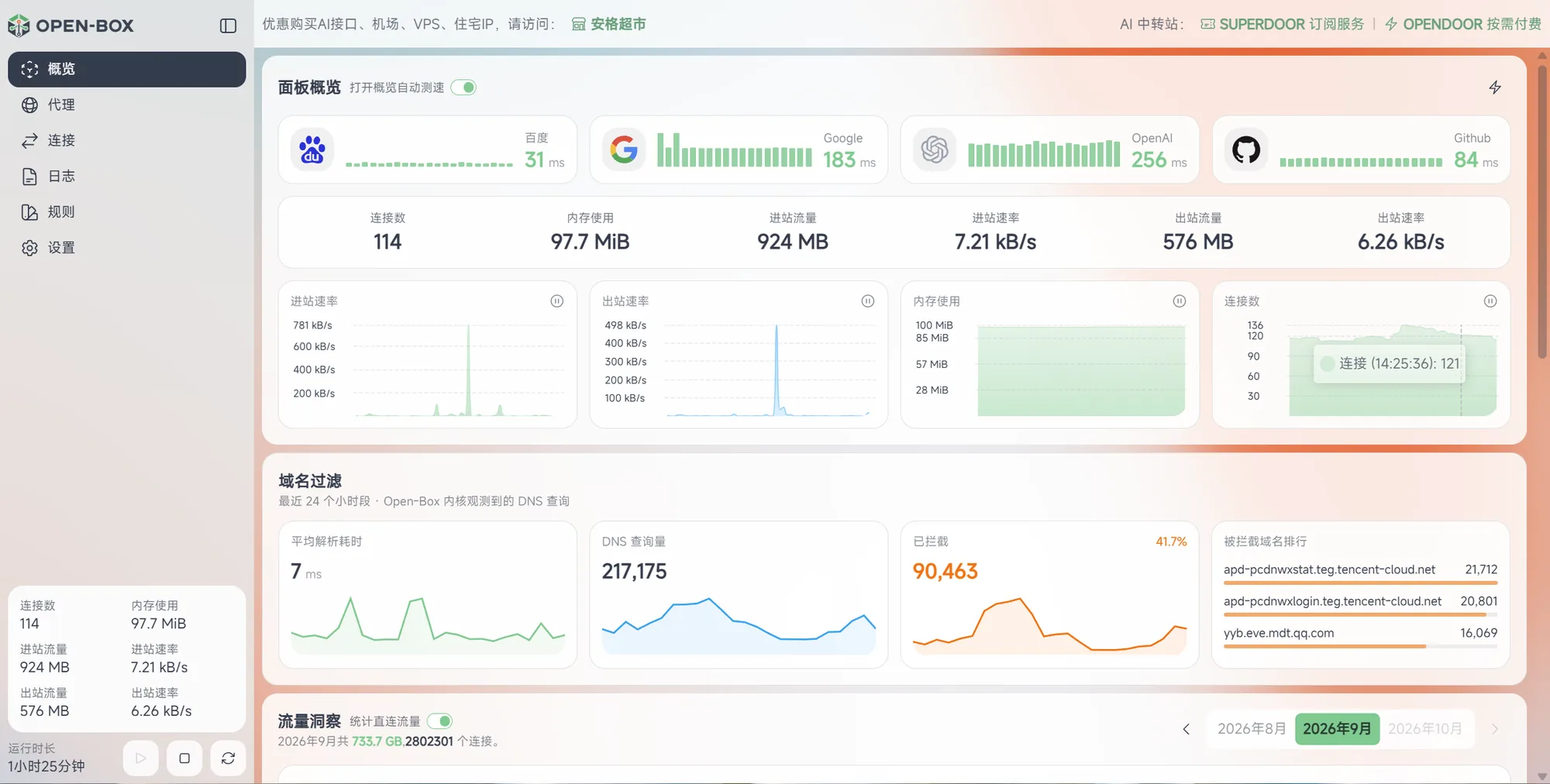
One panel for subscriptions, nodes, routing and DNS. Nothing to install on your devices — join the Wi-Fi and routing just works.
One command to install
Core, runtime and rule sets come in the package — just open a browser. Upgrades are one command too.
Switch without restarts
Flip a site set between direct and proxy in a second. Downloads, videos and SSH stay connected.
Direct skips the core
Domestic traffic is let through at the system entry. Only traffic that needs a proxy enters the core.
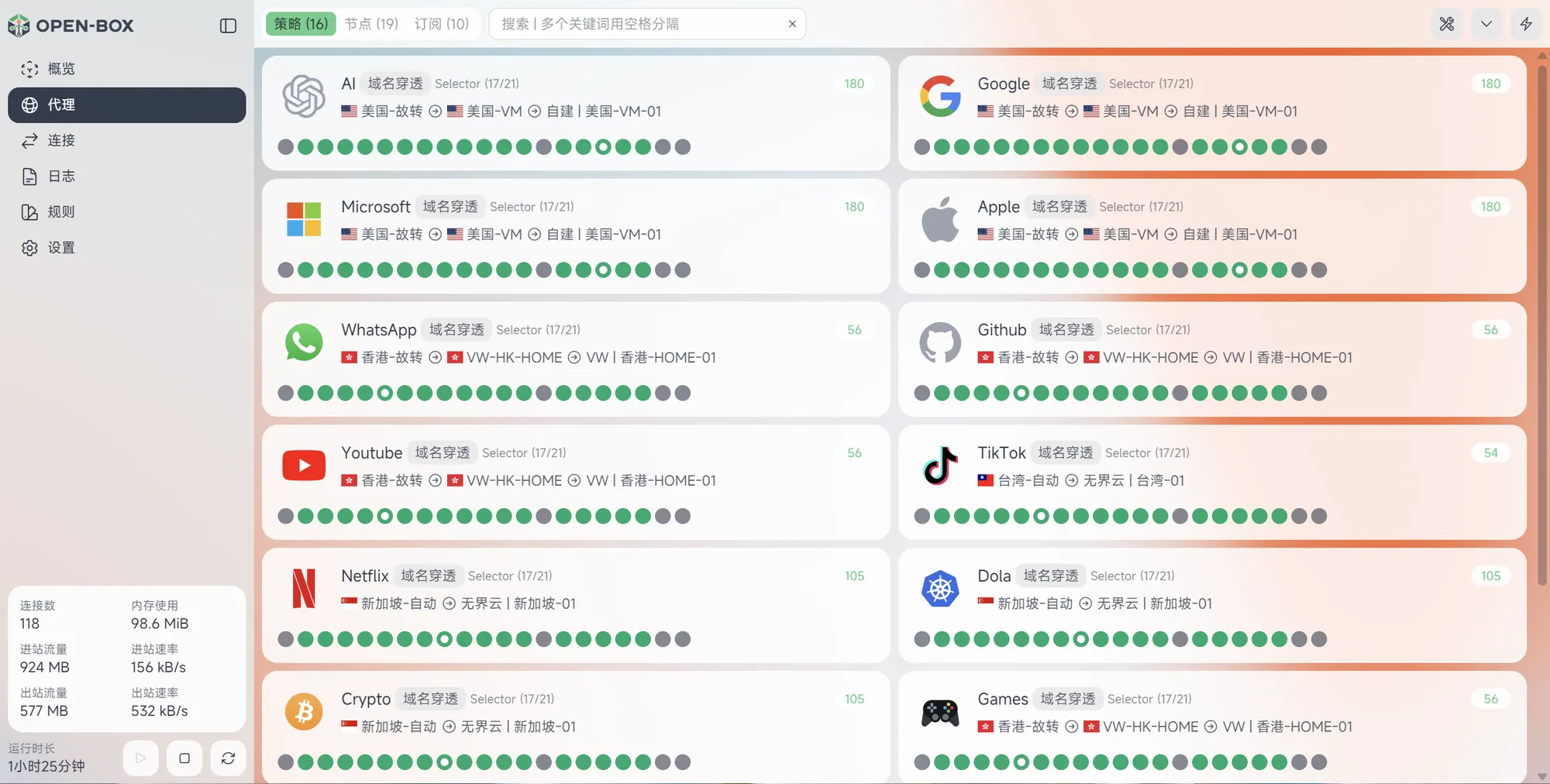
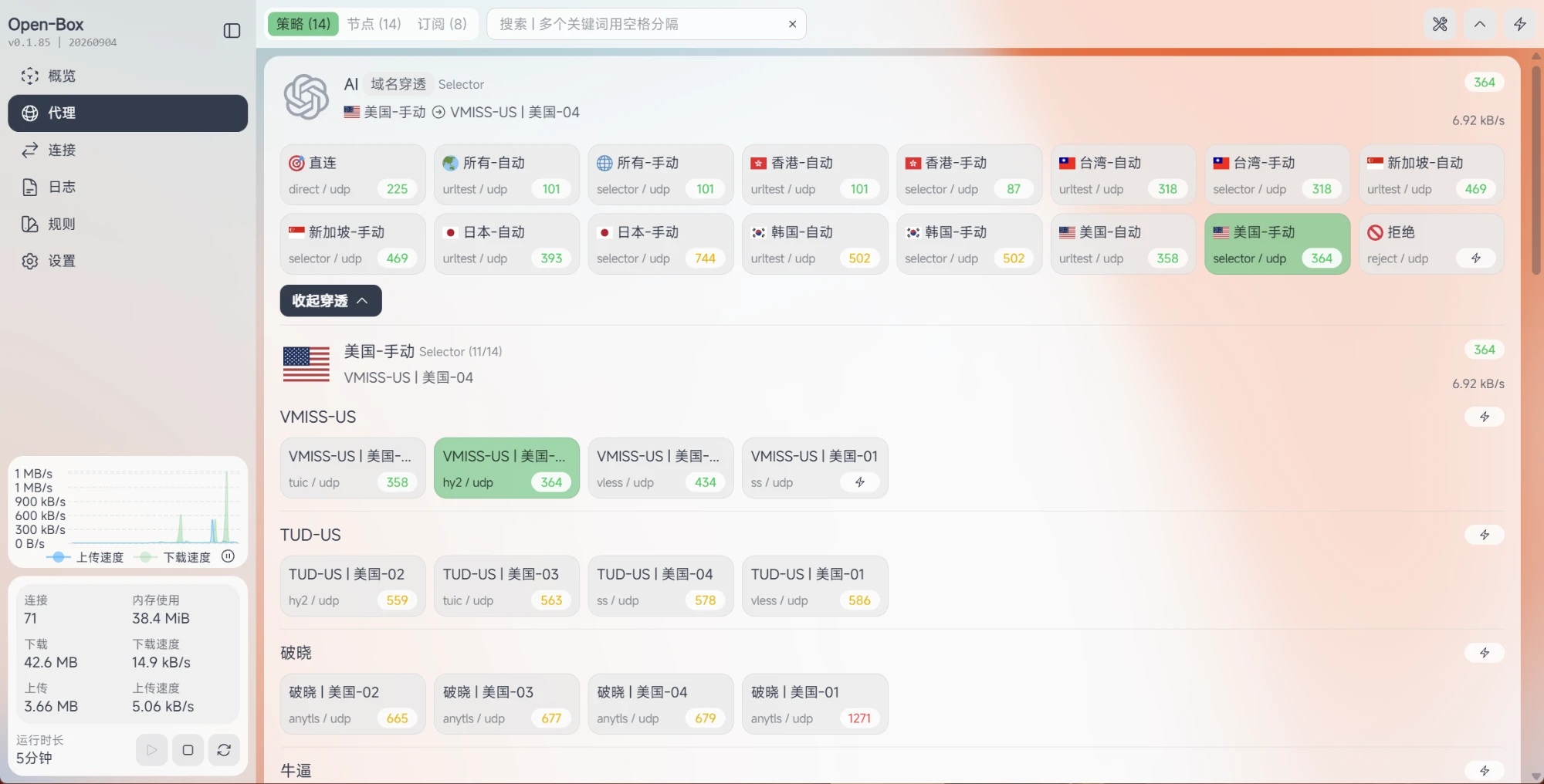
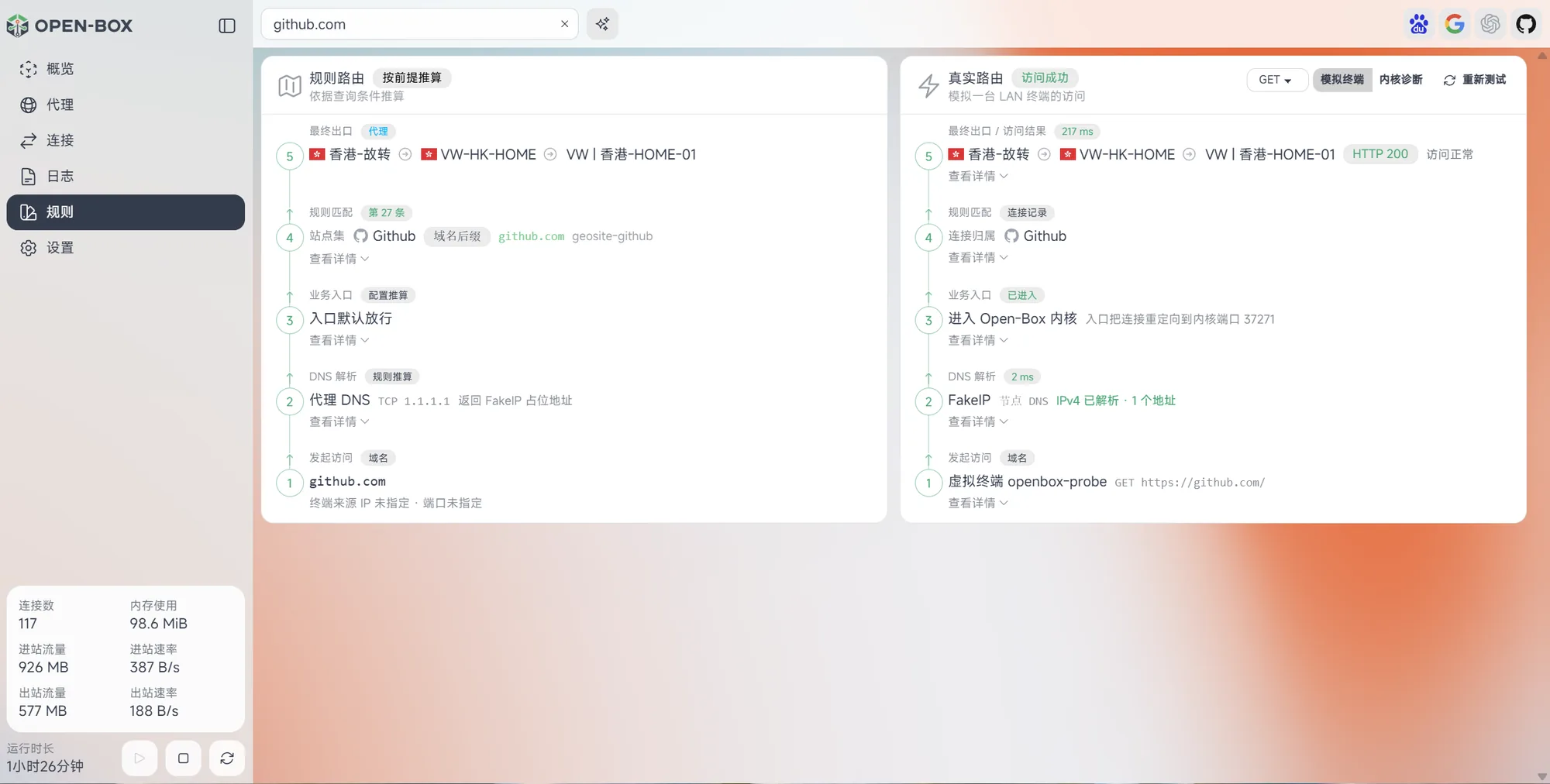
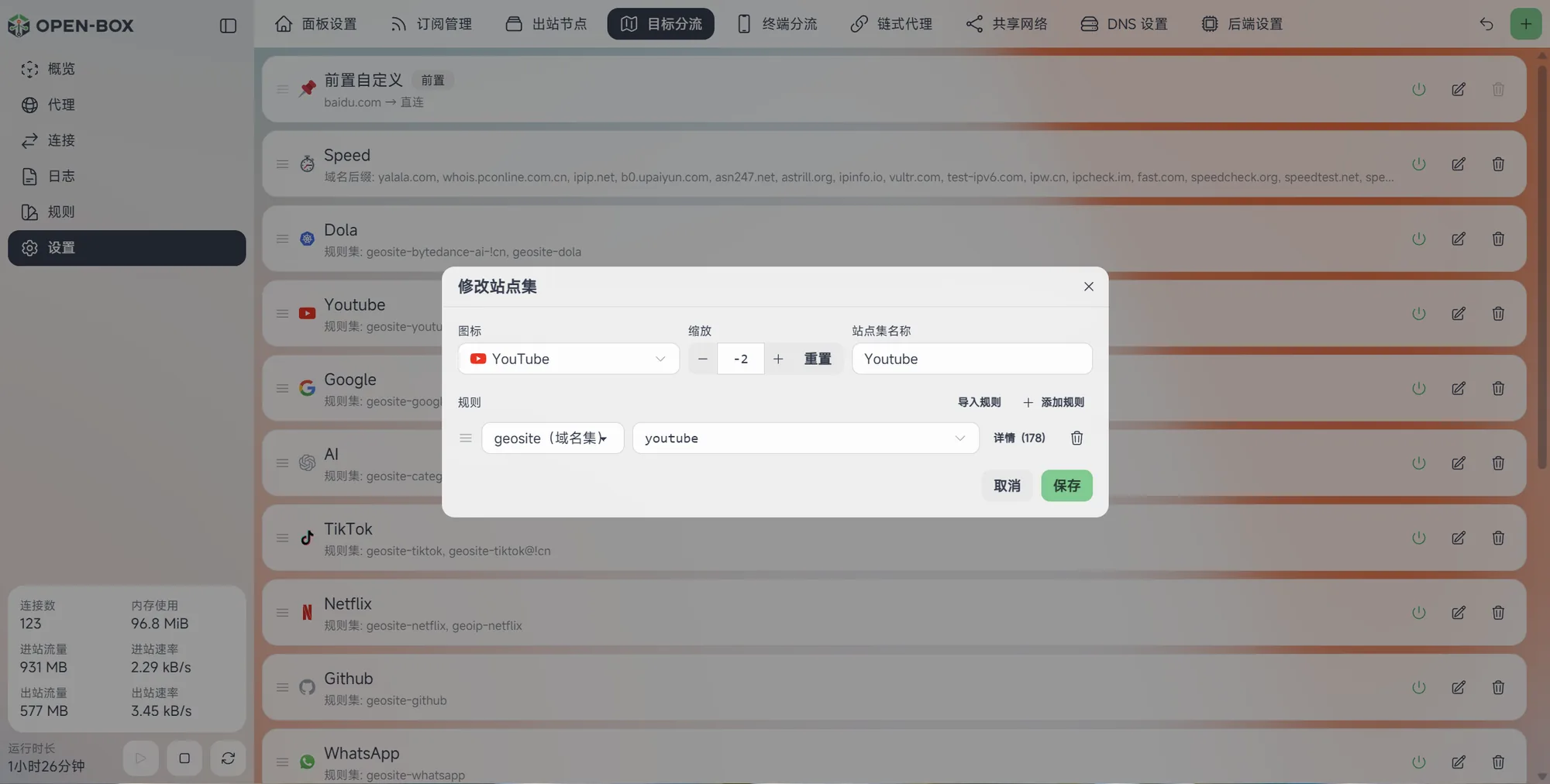
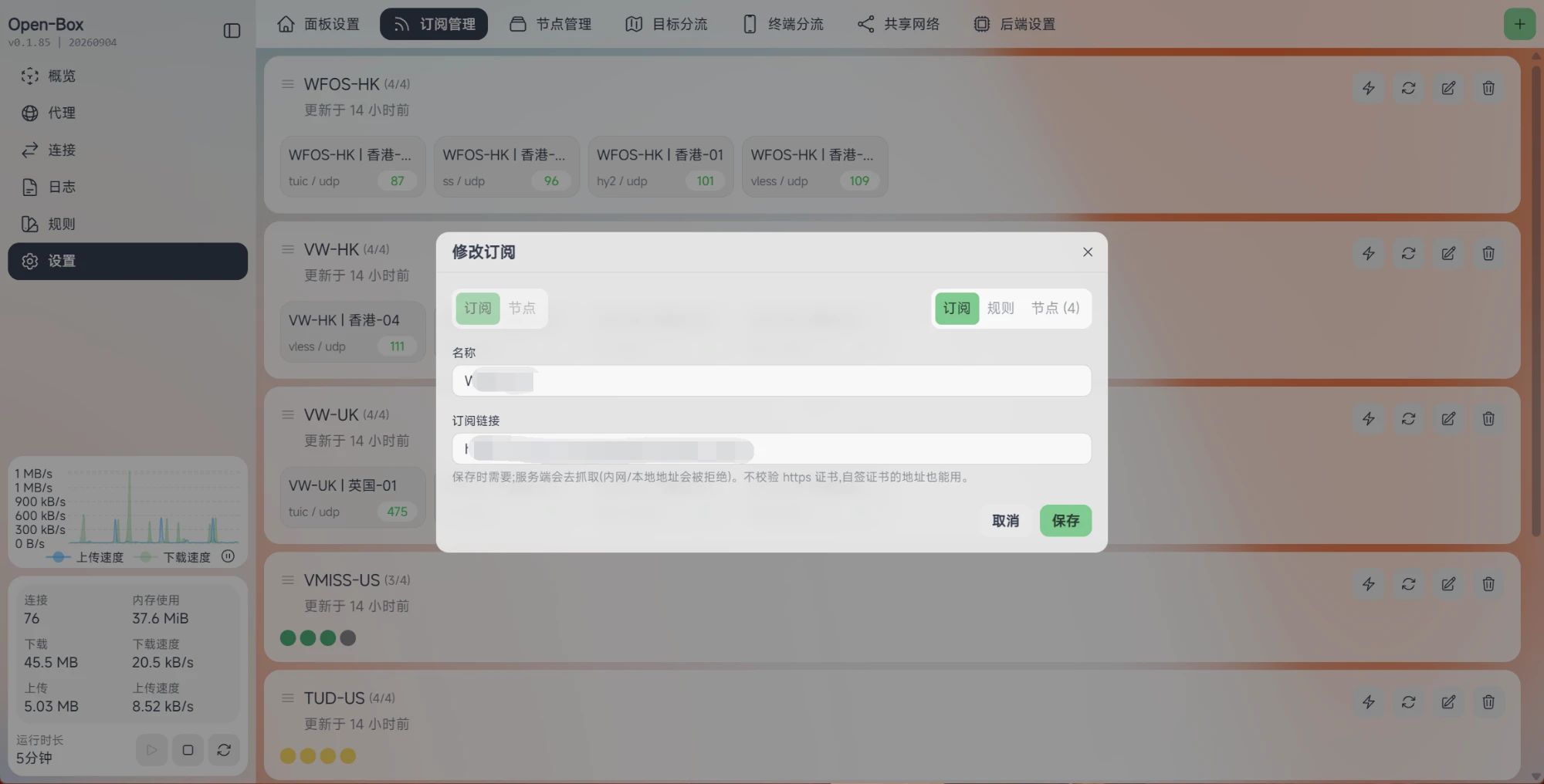
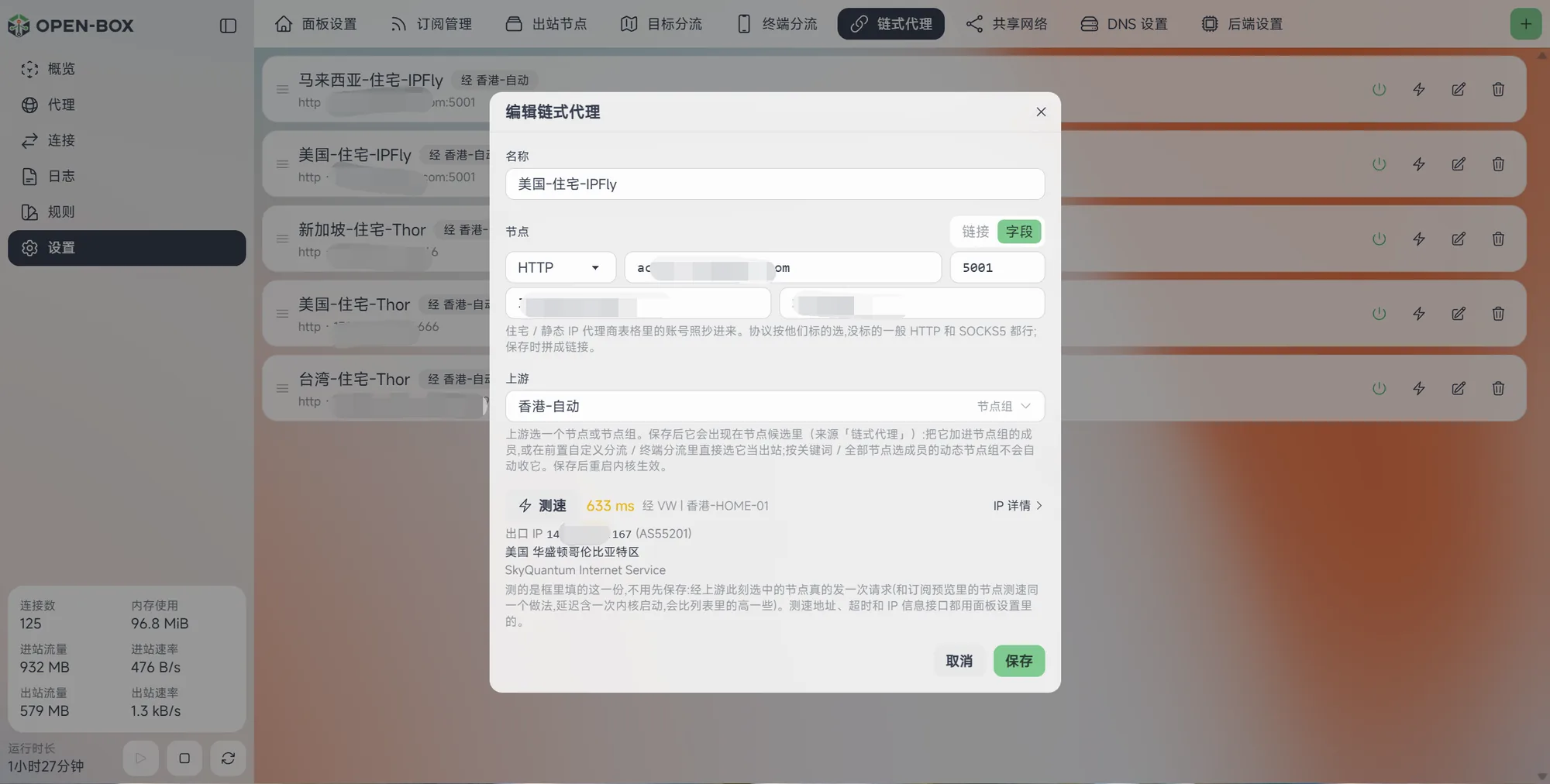
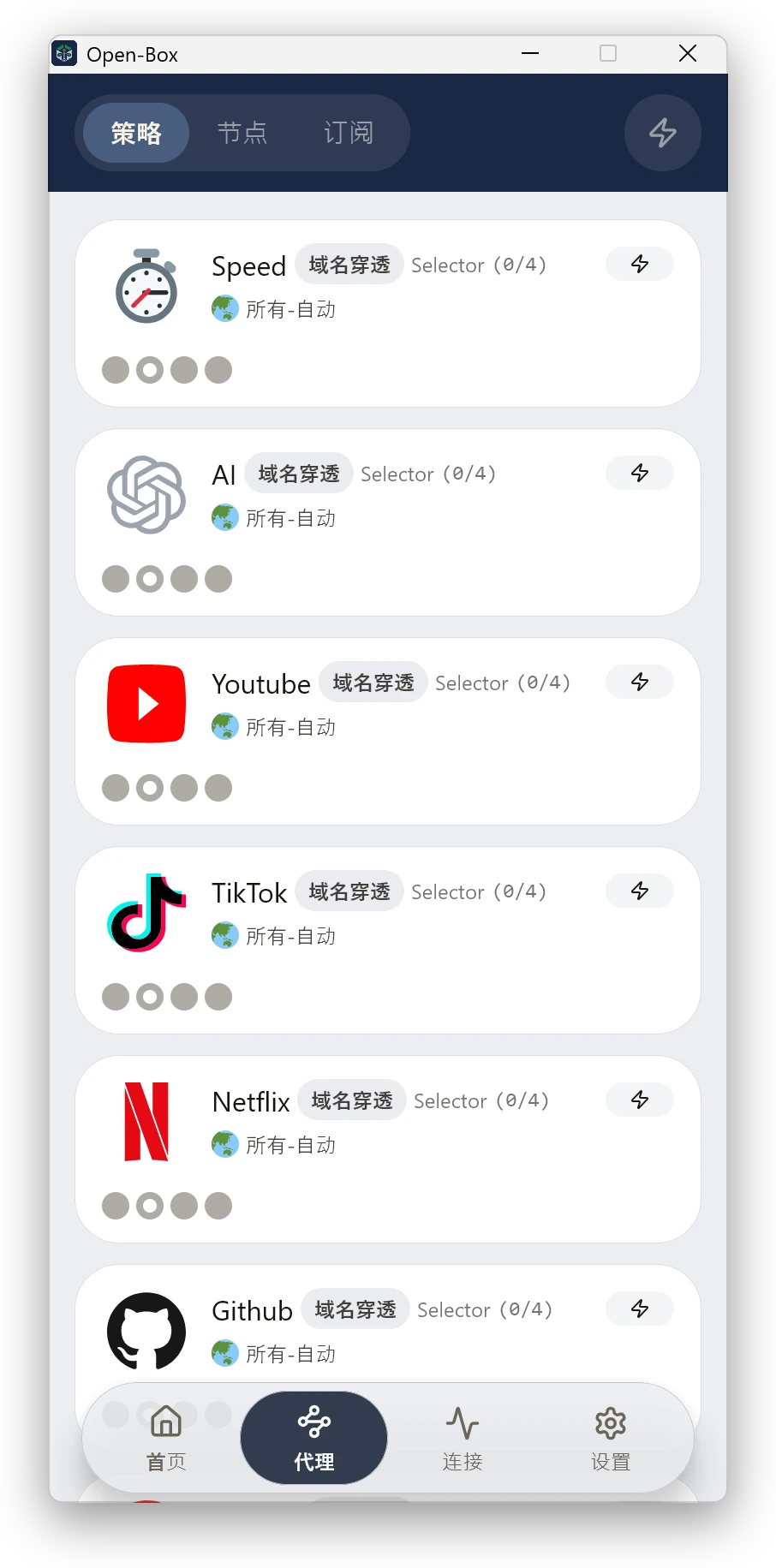
One card per site set — the current route and node health at a glance.
Subscriptions & nodes
ss, vless (REALITY), trojan, hysteria2, tuic and more.
Node groups & failover
url-test, manual and failover; groups auto-add new nodes.
DNS takeover
Split domestic / foreign DNS with rewrites. No leaks.
Domain filter
Block ad and tracker domains, and see which device asked.
Client routing
Send each device via proxy, direct, or past the core.
Traffic stats
Daily and monthly traffic by device, node and destination.
Export / import
Pack your setup into one file; import it anywhere.
LuCI fallback
Panel won’t open? Use Services → Open-Box in LuCI.
Pro · Share network + apps
Take your home network to every device
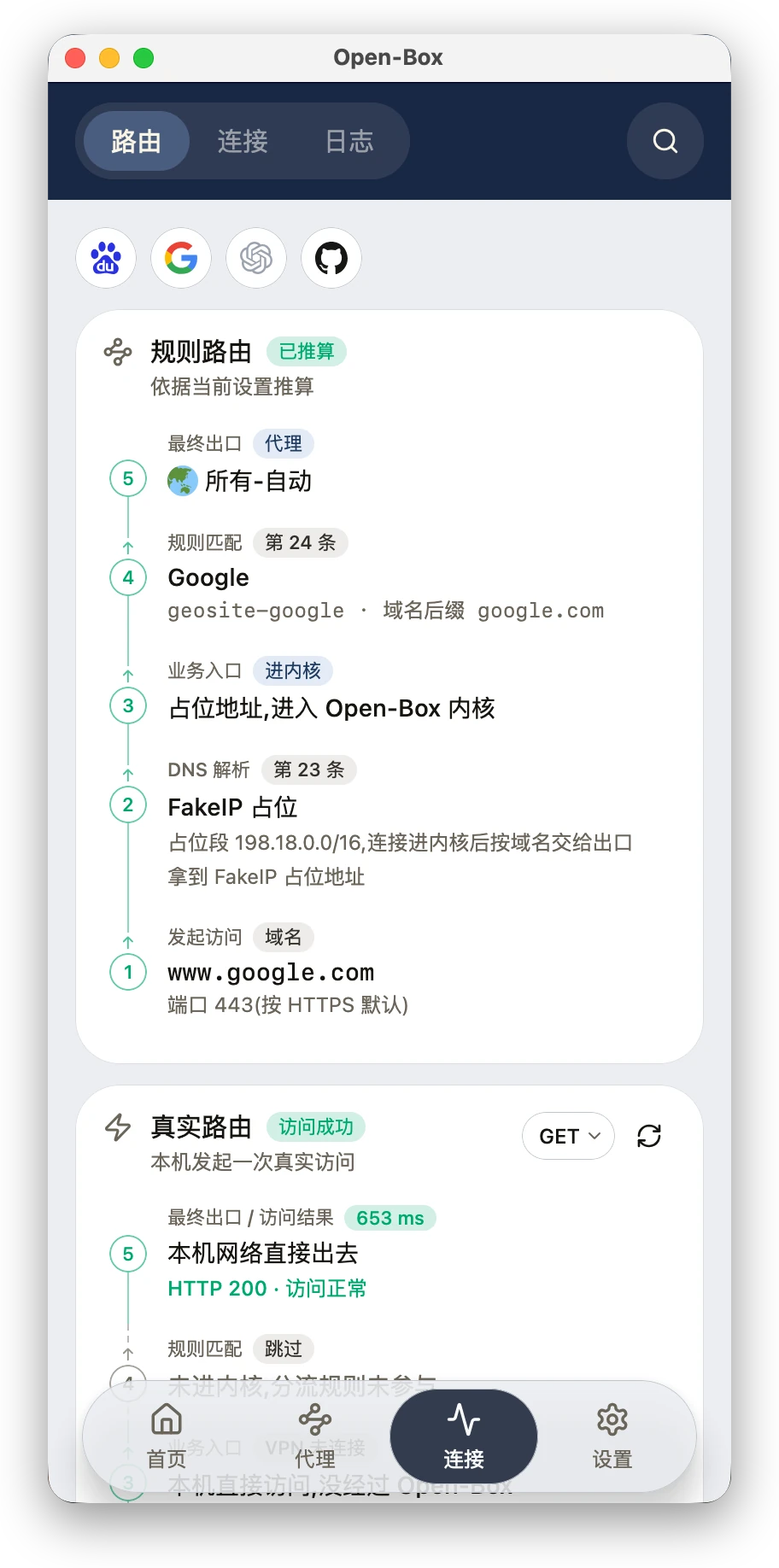
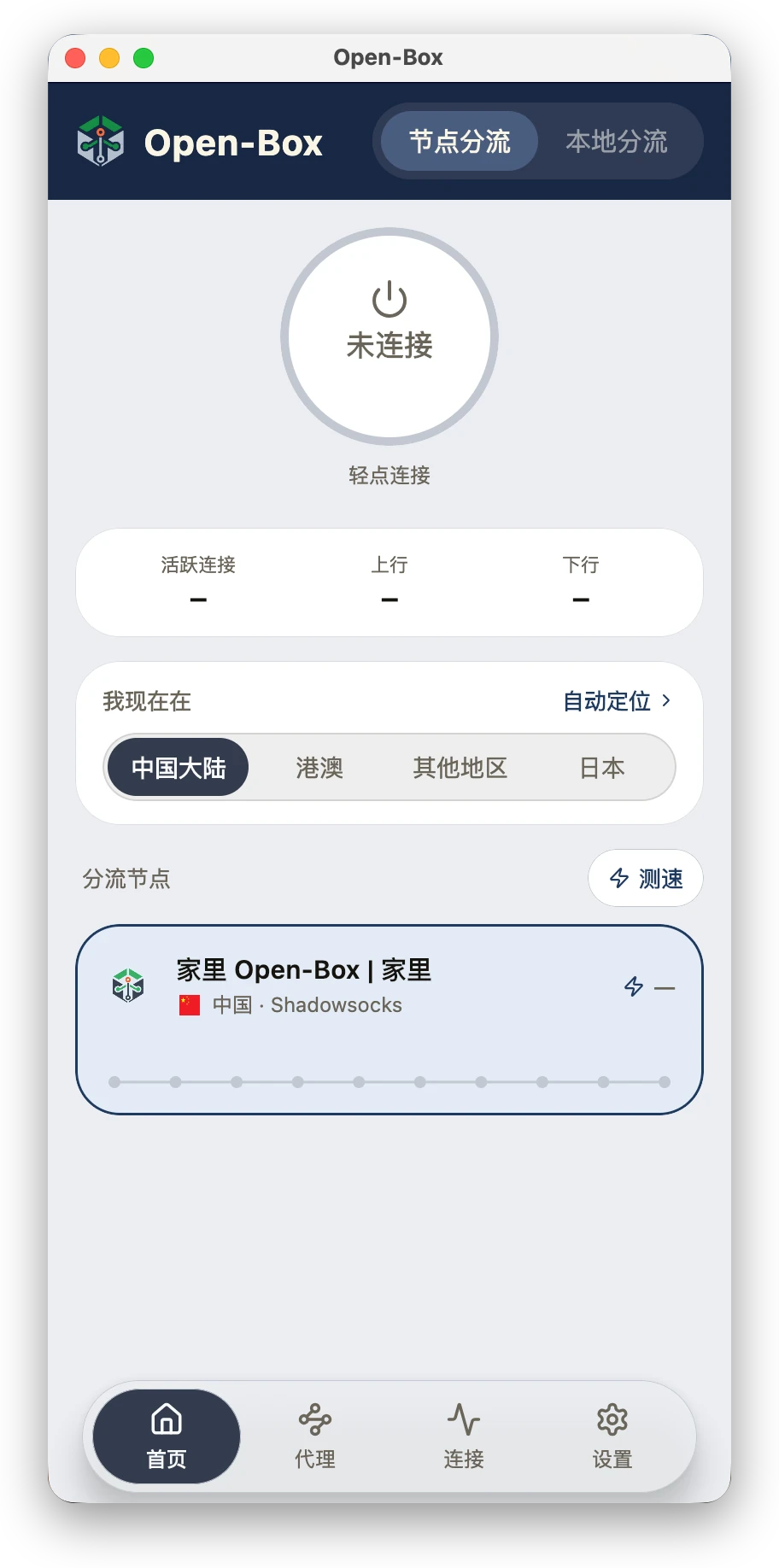
The nodes and routing you set up on the router, on your phone and computer wherever you go. Two modes to choose from, and as many devices per router as you like.
Zero config, one-tap sync
- 1Scan to pair
- 2Rules come along
- 3One-tap sync
Node routing
Your phone’s traffic goes home first, then out through your router’s rules. Browsing on the go feels exactly like home.
Best for: all your nodes live on the router and you want the same experience anywhere
Local routing
Your phone runs the same routing as the router. Pair once to take nodes and rules with you, then it works fully offline.
Best for: slow home upload, or you don’t want to route through home
- Offline import via exported file
- Rules switch by your region
- Auto-pause on chosen Wi-Fi
- Share network for any client
Pricing
Router features are free forever
Only Share network and the apps are paid. Yearly and lifetime include the same features; lifetime also covers everything that comes later.
Free
Everything on the router side. Free, and always updated.
- One-command install, core and rule sets included
- Subscriptions, node groups, failover, chain proxy
- Destination routing, DNS takeover, domain filter
- Client routing, direct traffic bypasses the core
- Traffic stats, export / import, LuCI fallback page
Pro · Yearly
Take your home network and routing to your phone and computer.
Everything in Free, plus
- Share network: open the core inbound to other devices
- Zero-config apps: scan to pair, one-tap sync
- Two modes: Node routing + Local routing
- Unlimited phones and computers
- New features during your term included
Pro · Lifetime
Pay once, use forever. Every future Pro feature included.
Everything in Yearly, plus
- Lifetime use, no renewals
- All future Pro features included
- Yearly users upgrade for $70.00 during their term
- 14-day free trial per router — buy only if you like it
- One license = one router, unlimited phones & computers
- Digital license — all sales final
How long can I use the free version?
Forever. Everything on the router side is free, including future updates.
Does Open-Box provide nodes?
No. Open-Box is software that runs on your router and devices; you bring your own nodes and routes. Follow the laws and regulations where you are when using network services — you assess and bear any related risk yourself.
What exactly does Pro charge for?
Only two things: Share network and the apps — opening your router’s network to other devices, and letting phones and computers use your home routing. Routing, DNS and node management on the router stay free.
How many devices does one license cover?
One router, plus unlimited phones and computers paired to it. Two routers at home means two licenses.
What if I replace or reinstall my router?
Enter the same license key in the new router’s panel and follow the prompt to move it; the old one is deactivated automatically. You can move a license yourself 5 times a year, or unlink it first under My licenses.
The Internet, as it was meant to be · Open and connected — just as it should be
Five minutes to install. Online tonight.
Start with the free router side. Add Pro when you want it on your phone and computer.